
EOFY 2026
The Best Laptops for Work, Study and Everyday Use
From budget-friendly laptops to powerhouse models, explore EOFY laptop upgrades built for bigger workloads, better downtime – and keeping more money in your pocket!
6 - 8 MIN READ

EOFY can turn those ageing laptop quirks into full-blown red flags. The sluggish start-up, the battery that quits mid-Teams meeting, the mysteriously sticky key. Suddenly, upgrading feels like perfect timing!
In 2025, local laptop market sales hit a whopping $5.53 billion (AUD)1 , proving portable technology remains a major drawcard for Australians. And when EOFY deals drop, features like longer battery life, more RAM and faster processors are easier to justify. For eligible Australian workers and small businesses, buying before June 30th may also offer potential tax deduction benefits.
Here’s where it gets personal: laptop shopping isn’t one-size-fits-all. Work, study, creative pursuits and life admin all need different specs, so the real win is finding the one that matches how you use it. With trusted brands such as Microsoft Surface, Lenovo, Acer, ASUS, HP and Apple in the mix, Harvey Norman’s EOFY laptop sale is a fantastic time to compare the features, specs and deals that suit your day-to-day – and your budget!
Can you claim a laptop on tax?
Your Tax Time Power Move
For eligible small businesses, a laptop purchase can work harder at tax time, with the ATO confirming that eligible business-use assets under $20,000*2 may be instantly written off under the simplified depreciation rules, when eligibility, timing and record-keeping requirements are met.
Individual taxpayers may be able to claim the work-related portion of a laptop, with the deduction depending on price and how it is used. The ATO treats laptops as depreciating assets*3, so models over $300 are generally claimed over their effective life.
 Top Tip
 Devices that cost $300 or less may be eligible for an immediate deduction if ATO requirements are met, but you should keep records showing what you bought, when you bought it and how you calculated the work-related portion.

fast facts
Three golden rules to claiming a laptop:
- Keep your receipt safe. Take a photo of it, email it to yourself, or file it away securely. A faded paper receipt will be no use in three years!
- Record all work use accurately.
- Only claim the work-related percentage of purchase. Use the laptop for work 60% of the time, and streaming 40% of the time? You can only claim the 60% portion.
Work, Study and Business Laptops: Prime Time Productivity
For hybrid workers, university students and everyday multitaskers, the best laptop should move as fast as the day does. Think smooth performance, easy portability, all-day power and flexibility to jump from video calls to projects, spreadsheets, research and streaming – without fuss.
Laptop Picks:
2-in-1 laptops, MacBook Air, Intel Core Ultra laptops, student laptops
Smart specs to consider:
Processor: As the brain of your computer, Intel Core i5 and AMD Ryzen 5 are strong productivity picks – with Intel performing well for responsive tasks and AMD often shining in multi-core efficiency.
Memory: 16GB RAM is the multitasking sweet spot to aim for, allowing plenty of room for Teams, Zoom, Office apps and a jungle of browser tabs.
Storage: Start at a 512GB SSD for apps, documents and everyday files. Step up to 1TB if you’re saving large creative files, research projects or media.
Battery life: Go for 8–10+ hours of real-world use on the go. Video calls, streaming and brightness chew charge fast, so bigger battery claims give more breathing room.
Weight and portability: While there’s no need to get too fixated on a number, 1.5 to 1.8kg is a practical everyday carry while 1.8 to 2.2kg makes sense if you want a bigger screen or better value.
Screen size: 13 to 14 inches is an ideal portability benchmark. 15 to 16 inches gives you more room for spreadsheets, split screens and long study sessions.
Connectivity: USB-C is the port to watch for charging, docks, monitors and accessories, while two USB-C ports offer flexibility and fewer adapter headaches.
Top Tip Plug Into the Claim Game
To claim a laptop in the 2025 to 2026 financial year, it must be purchased and first used, or installed ready for use, by 30 June 2026. You need to show it’s used for work or business, keep your receipt and record the work-related percentage you’re claiming.4
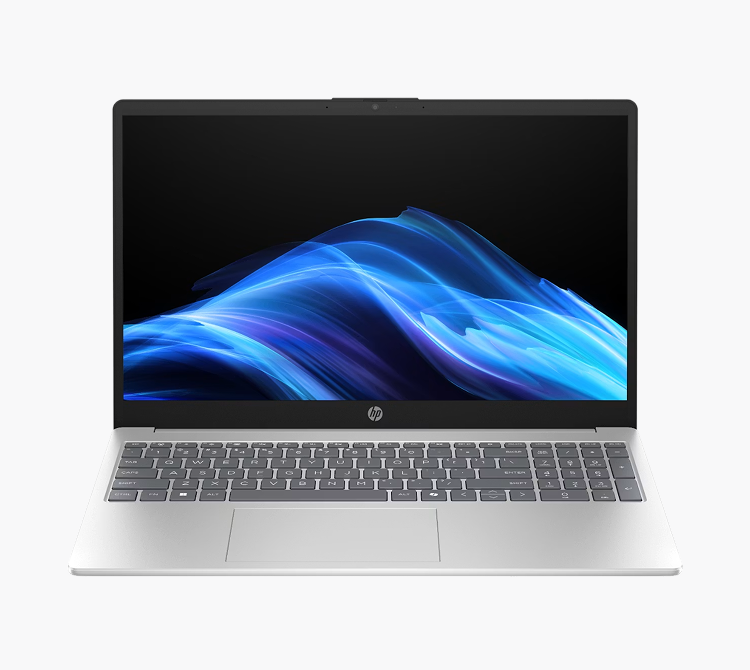
Real customer review:
An impressed five-star reviewer from Cairns shared their thoughts on HP’s 15.6-inch Ryzen 5 Laptop:
EXCELLENT VALUE
High Performance Laptops: More Muscle, Less Waiting
For creators, designers, editors and deadline jugglers, a high-performance laptop is where heavy lifting gets a helping hand. We’re talking faster exports, smoother edits, cleaner renders and enough power to keep big files, demanding apps and creative chaos moving – minus the spinning wheel.
Laptop Picks:
High-performance laptops, gaming laptops, RTX laptops
Your high-performance hit list:
Processor: Go for Intel Core i7/i9 or AMD Ryzen 7/9 processors for workloads like video editing, 3D rendering, engineering software and data analysis. Both deliver strong performance, so compare laptop specs against the work you do.
AI: Opt for a laptop with a dedicated NPU (Neural Processing Unit) for on-device AI that can transcribe meetings, find files and clean up calls without slowing down performance or draining your battery.
Graphics: Dedicated graphics are a must for heavily creative and technical tasks. NVIDIA RTX 40-series GPUs – think RTX 4060 and above – for video editing, effects, rendering and graphics-heavy workflows.
Memory: 32GB RAM is your high-performance baseline, giving you room to run creative apps, large files and background processes.
Storage: Check out 1TB NVMe SSD for large project files, apps and media libraries. Level up to 2TB if you’re working with 4K video, design files, renders or big datasets.
Cooling: Look for dual fans, heat pipes and good ventilation to help keep powerful laptops cool and reduce throttling during long renders or heavy workloads.
Display: For creative work, colour is important – consider 100% sRGB, Adobe RGB or DCI-P3 coverage, with 4K helping bring those finer details.
Screen size: 15 to 16 inches gives you room for timelines, toolbars and split-screen workflows – only go smaller if portability matters more than workspace.
Top Tip Don’t know your GPUs from your CPUs? Visit your local Harvey Norman and let our in-store experts help you make sense of the specs, so you can find a laptop that can power through your workload (or late-night loadouts).
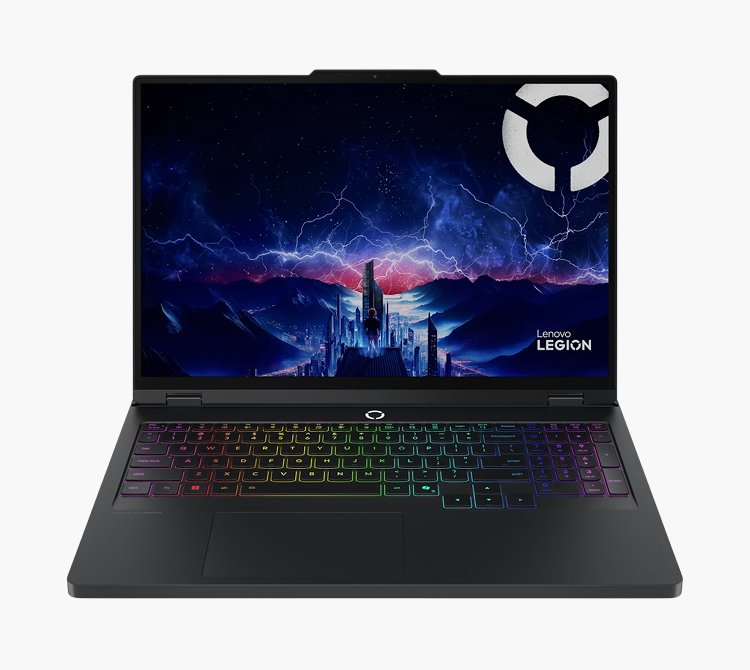
Real customer review:
Happy Harvey Norman customer, Simon, shared his glowing review of the Lenovo Legion Pro Laptop:
Excellent Performance for Content Creators
“The Lenovo Legion Pro 5i (10th Gen) is an excellent laptop for content creation. Rendering is super smooth, even with heavy projects…Solid build, great display, and overall an outstanding high-performance laptop. Highly recommended.”
Affordable Everyday Laptops: Life Admin, Sorted
For streaming, emails, online shopping, never-ending household tasks and even schoolwork – you don’t need a laptop that can run mission control. Your match is a budget-friendly, reliable machine that opens fast, looks the goods and handles everyday tasks from the sofa, kitchen bench … or wherever the Wi-Fi behaves!
Laptop Picks:
Chromebooks, MacBook Neo or previous-generation Macs, mid-range Windows laptops, recently superseded models with competitive price tags
Your grocery list of essentials:
Processor: Look for an entry-to-mid-range processor like Intel N-series, Chromebook Plus, Core 3/Core i3 and Ryzen 3 for the basics or gear up to Core 5/Core i5 or Ryzen 5 if you’re after more room for shared use, schoolwork and more.
Memory: 8GB RAM works for everyday basics, while 16GB gives more for multitasking, video calls and a laptop you want to keep longer.
Storage: 256GB SSD suits cloud-first users, emails and light files. Go for 512GB SSD if you’re saving family photos, downloads, and documents locally.
Display: A 14-to 15.6-inch Full HD screen is your sweet spot for streaming, shopping, bills and browsing.
Webcam and sound: Keep an eye out for models with a clear webcam, decent speakers and built-in microphones for video calls, online classes and family catchups.
Battery life: Aim for 6 to 8+ hours for lounge-to-kitchen use, or 8 to 10+ hours if you’re taking it with you.
Connectivity: USB-C, USB-A and HDMI are handy for chargers, hard drives, printers, monitors and more.
Ease of use: Simple setup, strong after-sales support and regular security updates matter, especially for shared family laptops and users that aren’t tech-savvy.
Top Tip Your laptop shouldn’t lag behind your life! Get up to speed with Wi-Fi 7-enabled models for blazing-fast connectivity and future-ready performance – even when the whole house is chronically online.
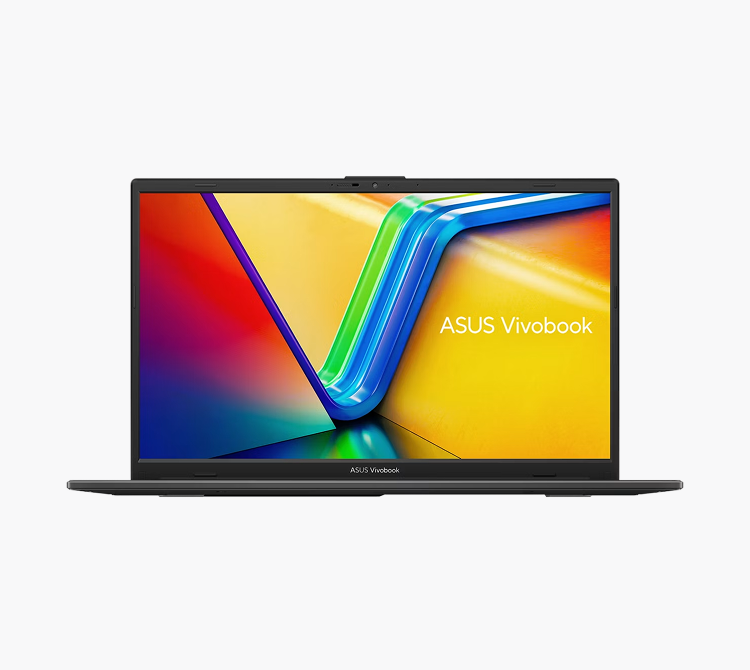
Real customer review:
Harvey Norman customer, SirAndy25 of Hobart, gives the Asus Vivobook Go 15 Laptop five stars and the thumbs up:
“…Easy as to set up, just follow the prompts. Does everything you want it to do - word processing, internet, basic gaming, zoom calls etc.”
Decoding Laptop Jargon
Laptop specs can feel a bit like alphabet soup, but here are some of the main ones worth knowing before you buy.
CPU: Central Processing Unit
The processor, or brain of your laptop. Intel Core i5/i7 and AMD Ryzen 5/7 are strong picks for work, study and multitasking.
RAM: Random Access Memory
Helps your laptop juggle more at once. 8GB suits everyday use, while 16GB is better for heavier multitasking.
SSD: Solid State Drive
Fast storage for apps, files and photos. 512GB is a practical starting point, while 1TB gives more room for big files.
GPU: Graphics Processing Unit
Handles graphics. Integrated graphics suit everyday use, while dedicated graphics are better for gaming, editing and creative apps.
RTX
NVIDIA’s higher-performance graphics platform for ray tracing, AI features, gaming and creative work. Worth looking for if you edit video, render 3D work or game.
sRGB, Adobe RGB and DCI-P3
Colour standards used to describe how much colour a screen can show. sRGB stands for standard Red Green Blue, Adobe RGB is Adobe’s colour space, and DCI-P3 refers to a cinema-grade colour space used for wider colour coverage.

Fast FAQs For Buying a Laptop During EOFY
What laptop specs do I need for working from home?
Look for Intel Core i5/i7 or AMD Ryzen 5/7 processors with 16GB RAM, comfortable keyboards for all-day typing, and support for external monitors. Battery life around 8-10 hours provides flexibility to work from different locations around your home without staying tethered to power points.
How much RAM do I need for a student laptop?
8GB RAM handles most school and university coursework comfortably – essays, research, presentations, web browsing, and streaming all work smoothly. Consider 16GB if you're studying design, engineering, computer science, or other fields requiring more demanding software. Keep in mind that more RAM serves up a smoother multitasking experience when you've got 15 browser tabs open alongside Spotify, and assignment research. If you're choosing between two laptops and can afford the 16GB option, it's worth the extra investment for longevity.
Do I need to spend over $1,000 on a laptop for everyday use?
No! We offer a wide selection of laptops online, priced at under $1,000. Look for models with Intel Core i3/i5 or AMD Ryzen 3/5 processors and 8GB RAM to handle web browsing, streaming, office work, and light multitasking easily. They won't tackle weighty tasks like professional video editing or high-end gaming, but for typical daily tasks – emails, social media, online shopping – they're good to go! Some EOFY sales can bring $1,200-$1,400 laptops down under $1,000, giving you mid-range specs at cheaper prices.
What's better for students: Windows laptop or MacBook?
Both work incredibly well; the right choice depends on your specific course requirements and ecosystem preference. Windows laptops offer a range in price points, specifications, and broader software compatibility (especially for engineering, some business software, and gaming). MacBooks deliver exceptional build quality, outstanding battery life, seamless integration with iPhones and iPads, and strong performance for creative work. Check with your uni or school first – some courses have specific software requirements that only run on Windows or Mac.
Should I buy a laptop with dedicated graphics?
Only if you're doing creative work, gaming, or specific professional tasks that benefit from Graphics Processing Unit (GPU) acceleration. Dedicated graphics cards from NVIDIA GeForce or AMD Radeon dramatically speed up video editing, 3D rendering, detailed graphic design, and gaming. For everyday use like web browsing, office work, and email, integrated graphics handle absolutely everything fine while saving you money and extending your battery life.


“The laptop is fast, light, and great battery life. Such great value for money.”
HP’s 15.6-inch Ryzen 5 Laptop