
Eufy Smart Locks
The key to smarter home security? No key at all. With keyless entry, auto locking, remote access and integration with your smart home setup, a smart lock makes coming and going effortless. Find keypad and fingerprint scanner models from trusted brands like Yale, Eufy and Lockly at Harvey Norman.


Ready to lock in a smarter front door?
From security to compatibility, our experts hold the key to helping you choose with confidence.
Unlock the answers >

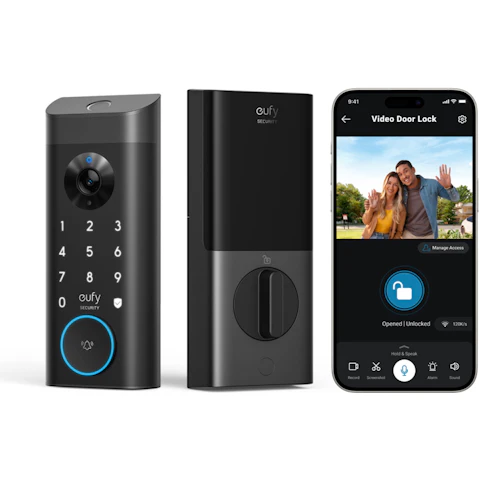
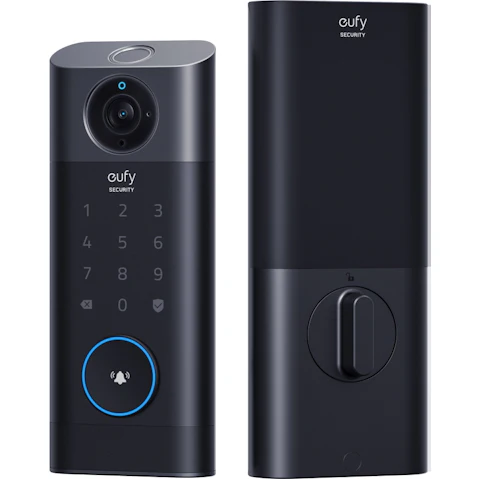
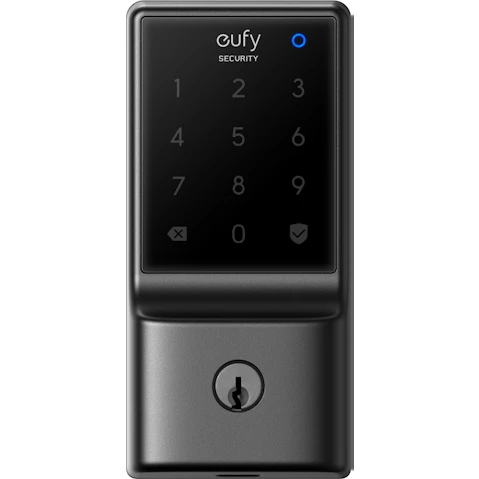


Terms and conditions apply. See individual product pages for details.
Your Smart Lock FAQs
Smart Door Locks Are Your Key to Seamless Home Security
Are smart door locks a good idea?
For many households, smart door locks replace traditional keys with secure digital access, making it easier to lock, unlock and manage entry to your home.
Here's the key to their appeal:
- Keyless Entry – Unlock with a PIN, fingerprint or smartphone.
- Easy Family Access – Give everyone their own code, fingerprint or app access.
- Remote Guest Entry – Let in visitors or tradies while you're away.
- Lock Checks – Check your phone when the "Did I lock it?" panic hits.
- Auto-Locking – Have the door secure itself after you leave.
- Smart Routines – Connect your lock with compatible lights, cameras and voice assistants.
How does a Wi-Fi door lock work?
A WiFi door lock connects to your home network, letting you check its status, lock or unlock the door and manage access from your smartphone – no matter where you are. Need to let family, friends or a tradie in? A quick tap can open the door without handing over a key, adding flexibility to your home security.
Some have built-in WiFi, while others require a separate bridge to join your network. And depending on the model, you can connect the lock with Google Assistant or Amazon Alexa for voice control and smart home routines.
What are the different types of digital door locks?
Digital door locks come in a range of styles to suit different doors, homes and lifestyles. Finding the right type depends on whether you want to completely replace your existing lock or upgrade it with smart features.
The main types of electronic door locks include:
- Deadbolt Replacement – Swap your existing deadbolt for a smart upgrade that brings keyless convenience and added security to busy front doors.
- Retrofit Smart Locks – Fit one over your interior thumb turn while keeping the existing keys and exterior hardware – handy for renters or apartments.
- Push-Pull Locks – Give contemporary entrances a sleek finish, letting you open the door with one smooth push or pull once you're authenticated.
- Lever Locks – Combine a smart lock and door handle in one unit, ideal for garage entries, side doors and home offices.
- Gate Locks – Take smart security beyond the front door with a weather-resistant design made for outdoor gates and fences.
What is the best way to unlock a smart door lock?
Key, codes, apps or fingerprints? The beauty of a modern digital lock is that it offers multiple access options, so you don't have to pick just one.
Let's get a handle on the options:
- Fingerprint Scanner – Fast and convenient, you can use your finger as a key – perfect for when you're heading out for a run without your keys or phone.
- Keypad PIN Codes – Create permanent codes for family and temporary codes for guests, trades or cleaners.
- Smartphone App – Use Bluetooth or Wi-Fi to unlock the door with a simple tap on your phone screen.
- Auto-Unlock – Uses your phone's location to detect when you arrive home, unlocking the door automatically as you approach.
- Apple Home Key – Tap your iPhone or Apple Watch against the lock, just like paying with a digital wallet.
- Physical Key – A traditional backup option hidden behind a faceplate for ultimate peace of mind.
How do smart locks connect to my smart home?
Depending on the model, a smart lock may connect directly through Wi-Fi or Bluetooth, or through a compatible hub using Zigbee or Z-Wave. Check that your chosen lock works with your preferred smart home ecosystem, such as Apple Home, Google Home or Amazon Alexa.
Once connected, you can:
- Check the Lock – Ask your voice assistant whether the front door is locked.
- Lock the Door – Secure it using your voice, app or smart home controls.
- Create Routines – Set up a "Goodnight" routine that switches off the lights, arms security cameras and locks the front door with a single command.
- Bring Devices Together – Use a compatible hub to help your smart door lock communicate with other connected devices.
More smart home security upgrades:
© 2026 Harvey Norman Online | Harvey Norman Online is operated by the eComm Store Pty Ltd, an independent franchisee. Harvey Norman Stores are operated by independent franchisees.
Subject to the terms and conditions goods and services described in this website are available from Harvey Norman online only, unless expressly stated otherwise.


