

Monitors
Sharp visuals, smooth performance and plug-and-play flexibility... it’s all on display in our computer monitor range from Samsung, LG, Lenovo and more. From curved screens that multitask like a pro to portable models for working on the go, we’ve got every size, type and setup covered. Whether for home, office or gaming, find the best monitor here!


Ready to refresh your monitor setup?
Our experts get to work, talking screen types, size, resolution and more!
Scroll to the FAQs >


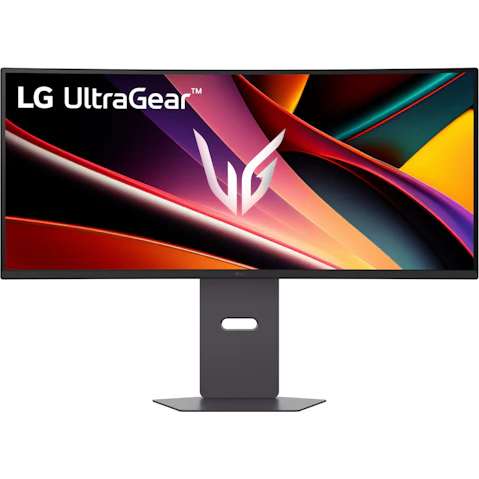

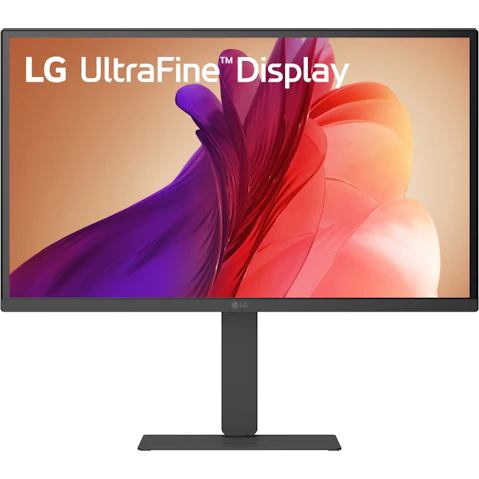


Terms and conditions apply. See individual product pages for details.
Your Computer Monitor FAQs
Computer Monitors that Mean Business – for Work or Play!
What are the different types of computer monitors?
With so many types of computer monitors to choose from, it pays to know what’s what. Here you’ll find all the latest models from leading brands, so whether you’re studying, gaming, or setting up a home office, Harvey Norman’s got it sorted:
- Flat Panel Monitors – Versatile displays for the day-to-day, balancing performance and practicality in sizes to suit most setups.
- Curved Monitors – Designed to gently wrap around your field of view for a more immersive, comfortable viewing experience that’s easier on the eyes.
- Ultrawide Monitors – With a wider aspect ratio, these offer a truly widescreen view that’s made for editing, creating or working across several apps at once.
- Gaming Monitors – Built for fast-paced performance with high refresh rates, low response times and higher resolution. Hello smooth and responsive gameplay!
- Portable Monitors – Lightweight and compact, ideal as a smaller second screen in dual monitor setups, hybrid work or study sessions.
What brand of computer monitor is best?
With brands like Samsung, LG, MSI, Lenovo, HP and Acer in our range, we make it easy to find a monitor that really delivers for 9-to-5ers, serious students and avid gamers alike.
What you’ll find when you shop our PC monitor range:
- Solutions for Every Setup – From compact study desks and home offices to spacious workstations and immersive gaming zones.
- Monitors for Work, Study or Play – Designed to support productivity, entertainment and performance, whatever your day looks like.
- Different Viewing Styles – Flat, curved or widescreen displays to suit how you work, create or game.
- Performance that Keeps Up – Enjoy clear visuals, fluid motion and easy connectivity across the entire range.
- Something for Every Budget – Affordable everyday monitors, premium, high-spec displays and everything in between.
What should I look for when buying a monitor?
Not sure where to start with all the specs and jargon? Just think about how you’ll use your new desktop monitor, then turn your focus to the key features that’ll make the biggest difference to your setup, like:
- Screen Size – From 24-inch to 32-inch and beyond, pick a size that comfortably fits your desk with enough space for how you spend your screen time.
- Resolution – Full HD (1080p), Ultra HD (UHD), 4K or 5K? Higher resolutions offer different levels of detail, especially on larger screens.
- Display Technology – OLED, QLED, QHD and LED deliver different levels of brightness, contrast and colour – some more vibrant, others more cost-effective.
- Screen Performance – Things like refresh rate, panel type and colour accuracy are key for gamers, designers or anyone who wants smooth, true-to-life visuals.
- Connectivity – Check for HDMI, DisplayPort or USB-C to make sure your computer screen will work seamlessly with your laptop or docking station.
What is the best resolution for a computer monitor?
Find yourself squinting at blurry text or pixelated images? Pairing your monitor screen size with the right resolution makes everything crystal-clear, whether you’re deep in Excel or reading research papers for a uni assignment.
Find your pixel-perfect match:
- Full HD (1920 x 1080) – A reliable all-rounder for browsing, office work, study and streaming on smaller screens.
- QHD (2560 × 1440) – A sharp step up that’s great for multitasking, working across large spreadsheets or switching between apps.
- 4K UHD (3840 x 2160) – Designed for screens 27 inches and above, with high-impact visuals for gaming, creative work or reviewing complex dashboards.
- 5K (5120 x 2880) – Best suited to large professional displays, offering fine detail for graphic design, video production and detailed CAD work.
What is a good size for a monitor?
The right size computer screen monitor supports how you work (or play), boosting focus, reducing fatigue and even making multitasking on a Monday morning feel like a breeze! Size up the best monitor for every need and budget below:
- 24-Inch Monitor – A smart choice for smaller workspaces, ideal for everyday browsing or basic office tasks.
- 27-Inch Monitor – The sweet spot for work, play and productivity, offering more screen space without overwhelming your desk.
- 32-Inch Monitor – Into gaming or graphic design? Upsize your setup for vivid detail and smooth visuals.
- 34-Inch Monitor – The ultrawide upgrade, this screen is ideal for split-screen multitasking with an immersive, panoramic view.
Your computer screen’s sidekicks await:

© 2026 Harvey Norman Online | Harvey Norman Online is operated by the eComm Store Pty Ltd, an independent franchisee. Harvey Norman Stores are operated by independent franchisees.
Subject to the terms and conditions goods and services described in this website are available from Harvey Norman online only, unless expressly stated otherwise.


