
Lenovo Desktops & All-in-Ones
Is the family laptop lagging, your phone overloaded, or that creative side hustle crying out for a bigger screen? It’s time to go big with a desktop computer from Harvey Norman. From hardworking towers and sleek all-in-ones to compact mini PCs, find the perfect fit for your home office, studio or gaming setup from HP, Lenovo and more top brands.


Still processing which desktop computer is right for you?
Our experts have decoded the different setups, specs and more.
Boot up our FAQs >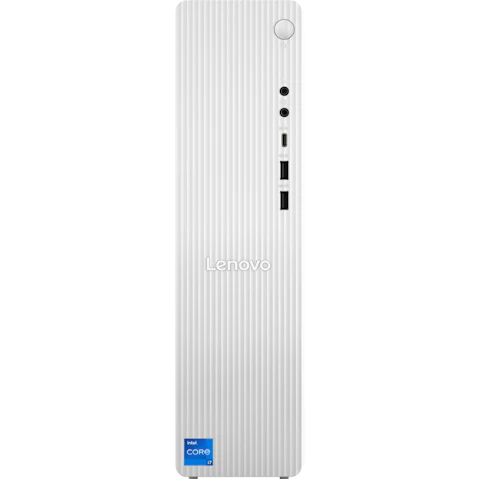


Terms and conditions apply. See individual product pages for details.
Your Desktop Computer FAQs
Desktop Computers & All-In-Ones That Mean Business
Is it still worth buying a desktop computer?
Without question. Laptops will always have their place, but if you want more power and flexibility, a desktop computer is still hard to beat.
The desktop download:
- Serious Grunt – High-end processors and dedicated graphics cards that handle everything from heavy creative workloads to the latest games.
- Built To Be Tinkered With – Need more RAM? Want faster storage? Eyeing a new graphics card? Desktops are designed to grow with you.
- Cool, Calm and Collected – More room inside means better airflow, so your PC stays cool and quiet even when you're really pushing it.
- Storage For Days – Support for more drives and bigger capacities than most laptops, so gamers, creators and hoarders alike will never run out of room.
- Stay Connected – More ports, more slots, more options. From USBs and card readers to docking stations, it's designed to plug into your world.
Whether you're into gaming, content creation, or just need a home computer that won't flinch at 47 browser tabs, a desktop PC is the setup that keeps on giving.
What does all-in-one PC mean?
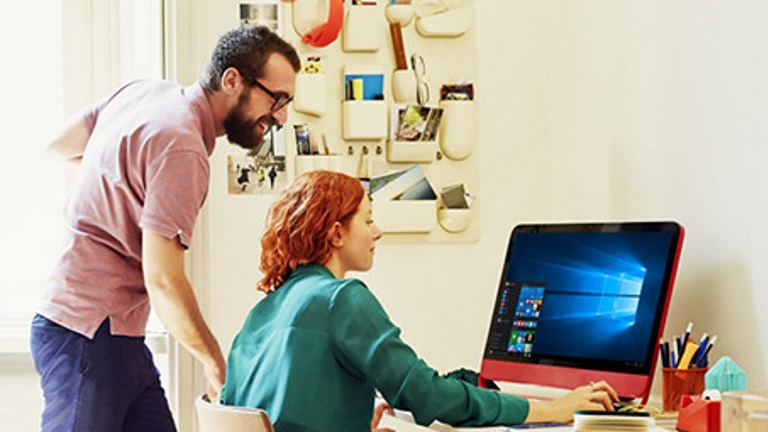
Meet the desktop that ditched the clutter. An all-in-one PC (AIO) packs all the core components – processor, storage, memory and more – neatly behind the screen, so there's no separate tower or cable chaos taking over your desk.
These clever all in one computer desktops are the go-to for home offices, study nooks and reception areas where appearance matters just as much as performance.
With a single power cable plus a keyboard and mouse, all-in-one computers are made for anyone who wants a simple, streamlined setup that's ready to go straight out of the box.
What are the types of desktop computers?
Four main types of desktop PCs, four very different setups – from powerhouse towers to compact computers that practically disappear into your desk.
Meet the lineup:
- Desktop Towers – The classic for a reason. Big on power, easy to upgrade and built to go the distance, it's the setup that power users, creators and gamers swear by.
- All-In-One PCs – Screen and computer in one neat and tidy package. Clean and minimal with no messy cables in sight, they're office computers that mean business.
- Mini PCs – Tiny but mighty (and absolutely not to be underestimated), tuck this pint-sized PC behind a monitor, under a desk, or even mount it on the wall.
- Gaming Desktops – Purpose-built for performance, with dedicated graphics and cooling systems with the horsepower for high frame rates, VR and marathon sessions.
What specs should I look for in a desktop?
Not a tech person? No problem. Here's what actually matters when shopping for a computer desktop:
- CPU (Processor) – The brains of the operation. For most people, an Intel Core i5/i7 or AMD Ryzen 5/7 does the job. Need more power for multitasking or AI-ready performance? Look for Intel Core 9 or AMD Ryzen AI 7.
- GPU (Graphics) – If you're gaming, designing or editing, a dedicated graphics card from brands like NVIDIA GeForce or AMD Radeon isn't optional – it's essential.
- RAM – The multitasking muscle. 8-16GB is good for everyday use, while 32GB or more is best for gaming and creative work.
- Storage – There's SSDs to keep things snappy and responsive and hard drives (HDDs) with extra space for photos and programs. For the best of both worlds, get both.
- Operating System – Choose Windows for wide compatibility, macOS for Apple ecosystem fans, or Chrome OS for straightforward simplicity.
What's the best desktop computer?
Whether you need a workhorse or something the whole household can share, the best desktop looks different for everyone. From compact all-in-one desktop computers and family-friendly setups to full tower gaming rigs and creative workstations, Harvey Norman has every configuration covered with big brands like Apple iMac, Lenovo, HP, MSI and more.
Not sure where to start? That's what our computer experts are for. They know their specs inside out – no tech jargon, just straight-up good advice to help you find the right fit. And once you've found your match, we'll help you complete the setup with everything you need, including monitors, keyboards, software and beyond.
Round out rig with these add-ons:
© 2026 Harvey Norman Online | Harvey Norman Online is operated by the eComm Store Pty Ltd, an independent franchisee. Harvey Norman Stores are operated by independent franchisees.
Subject to the terms and conditions goods and services described in this website are available from Harvey Norman online only, unless expressly stated otherwise.


